

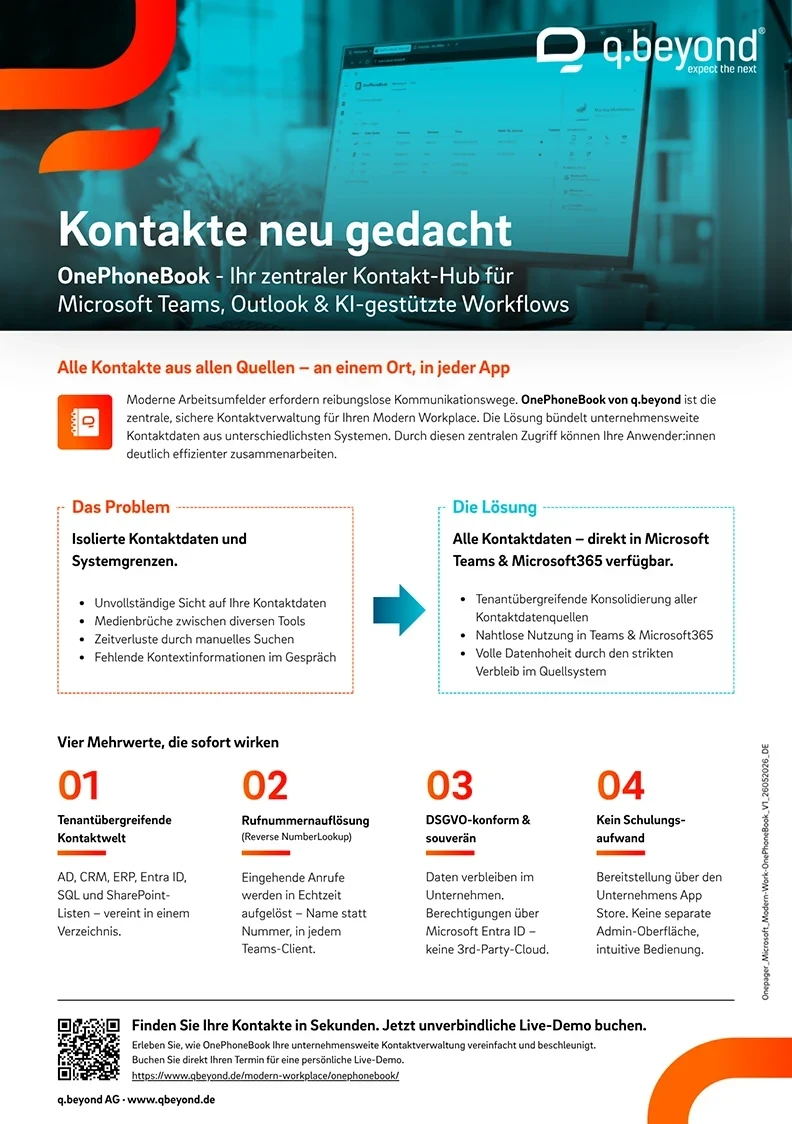
Manage and share contact data centrally: The OnePhoneBook app from q.beyond is the global and central phone book for Microsoft Teams, bringing order to your contact data.
This application bundles company-wide contact data from various data sources such as Active Directory, CRM, ENTRA ID, ERP, SQL or SharePoint lists and displays it in Teams – seamlessly integrated into the Microsoft Teams client.
Integrating the OnePhoneBook app with Teams allows users to collaborate more efficiently. They can search for and access contact and personal information while simultaneously using Teams' communication and collaboration features. This fosters teamwork and facilitates information sharing without requiring users to switch between different applications.
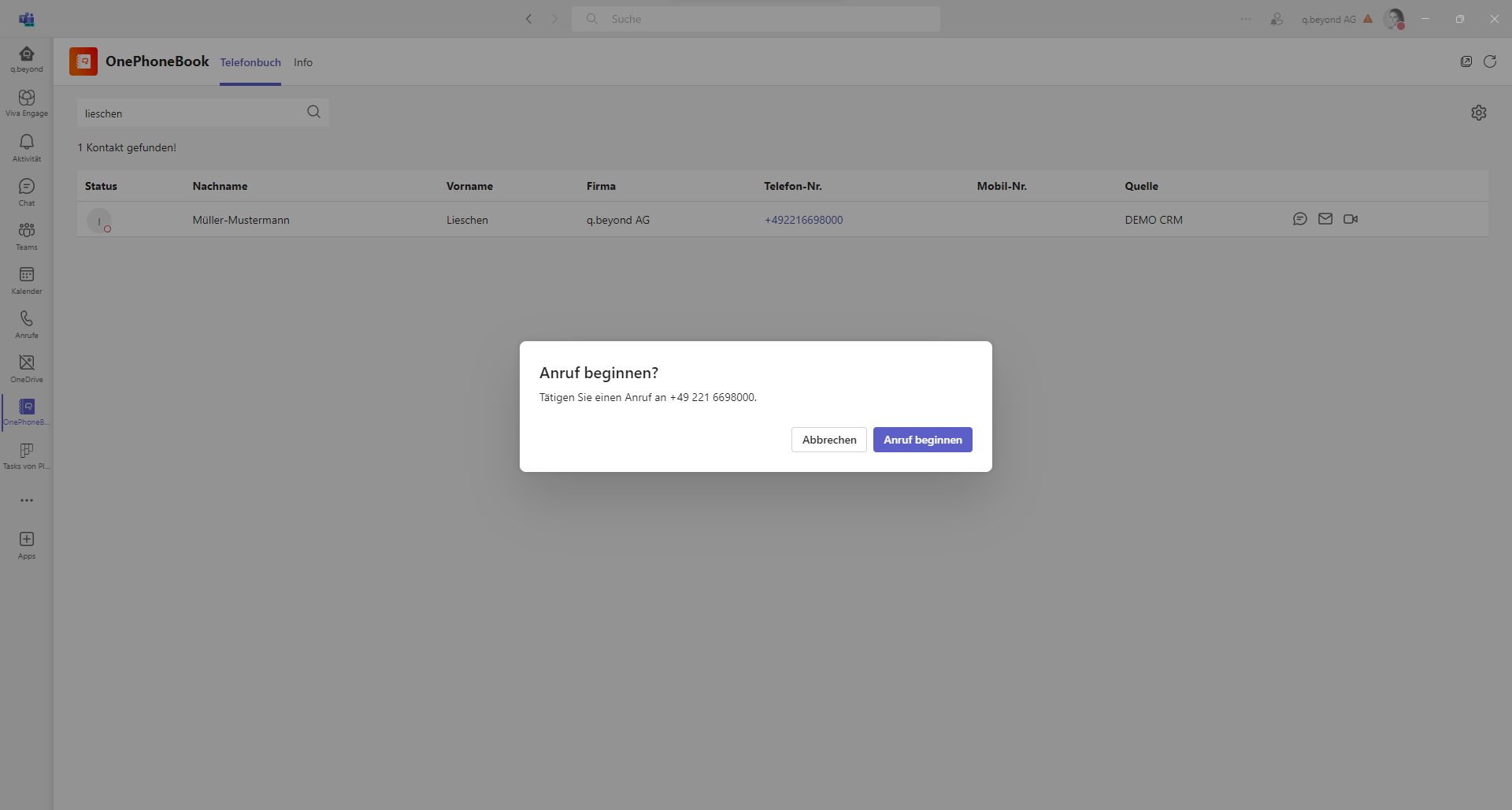
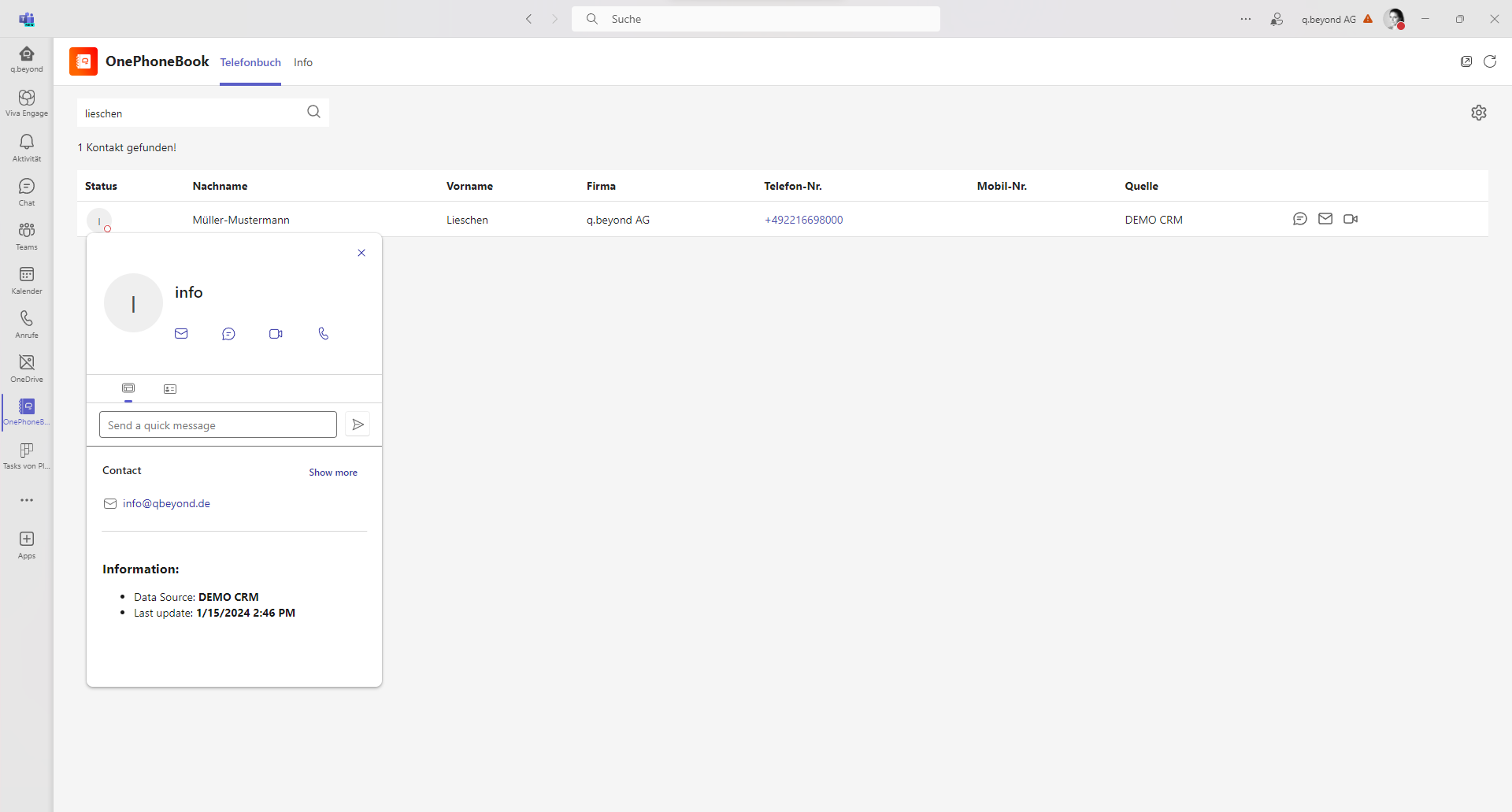
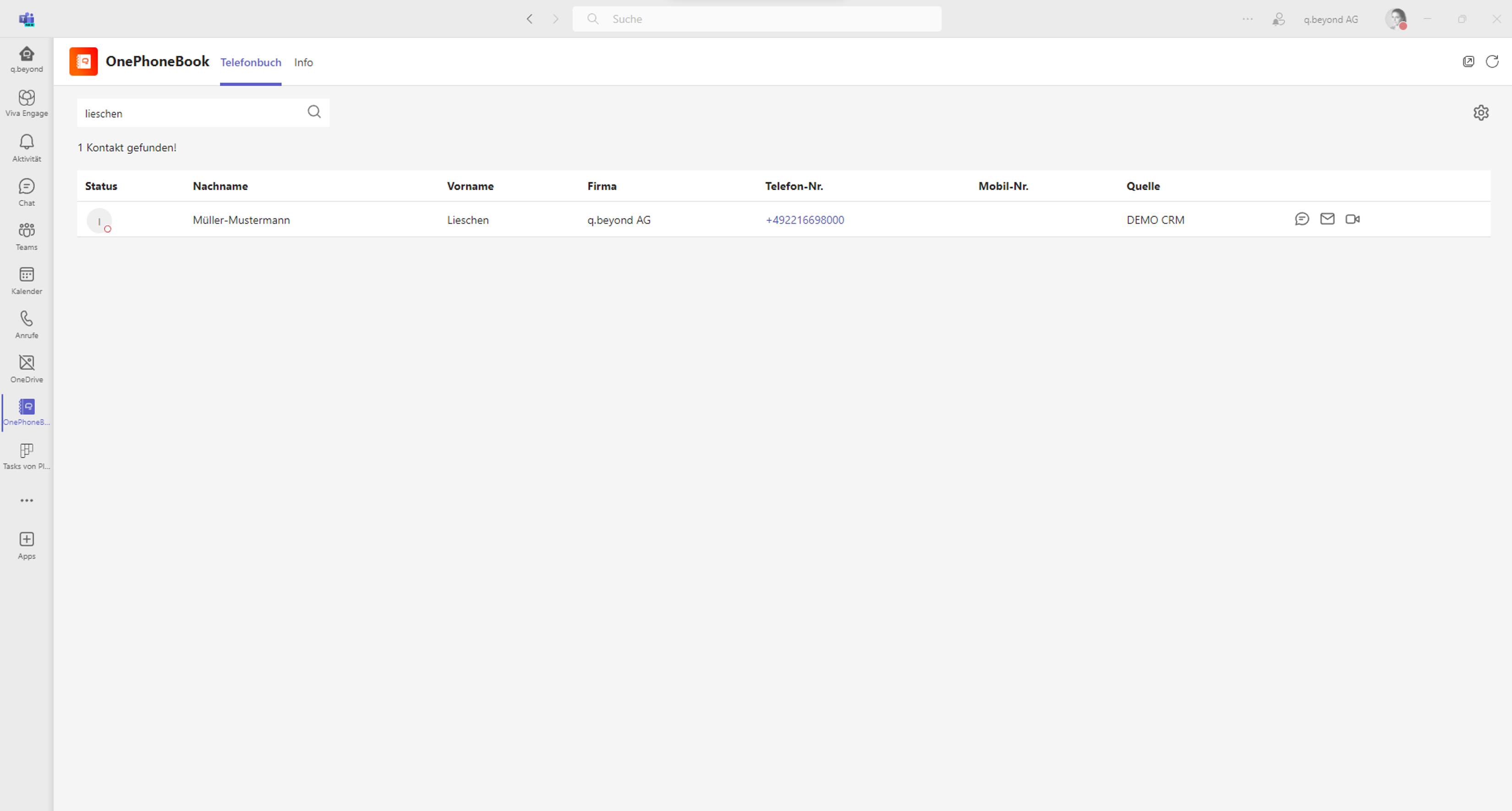
Full integration with Microsoft Teams
By integrating the OnePhoneBook app into Microsoft Teams, the application is embedded directly into the Teams interface. Users can access the functions and content without having to leave the Teams application.
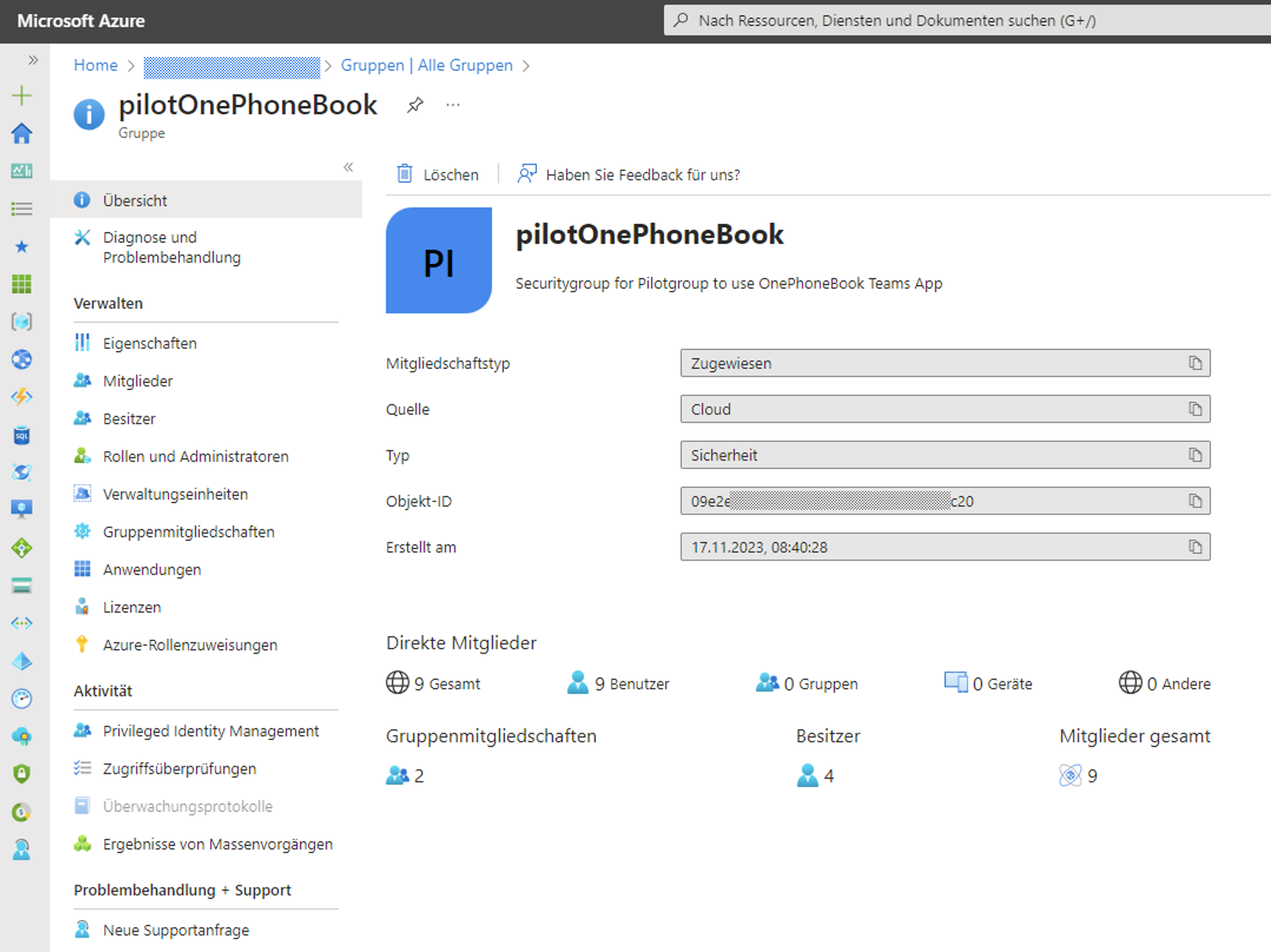
Flexible access and permission levels
Access rights and permission levels can be assigned very flexibly to each user based on their existing Microsoft Entra ID – even at the team level. All this is managed centrally via a single access point, without the need for a separate admin interface.
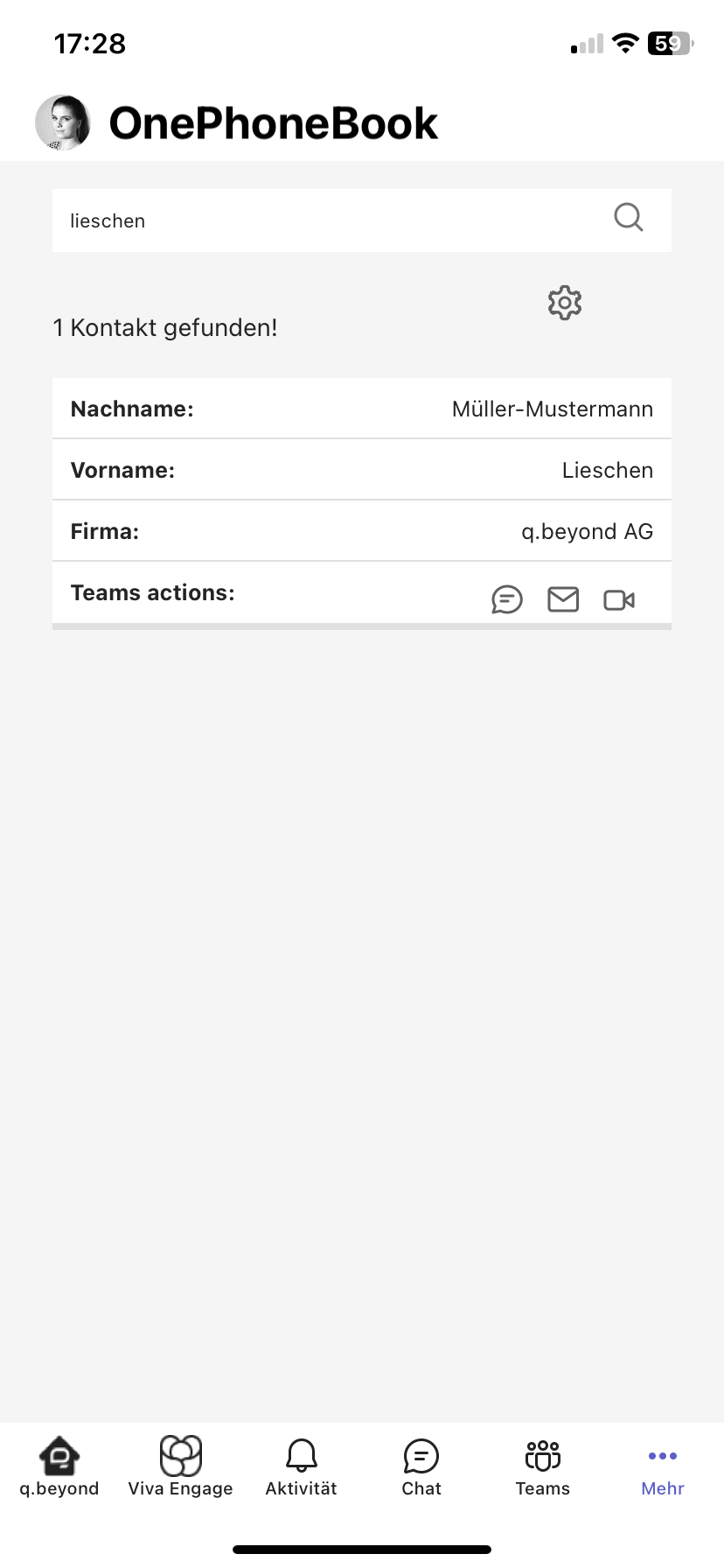
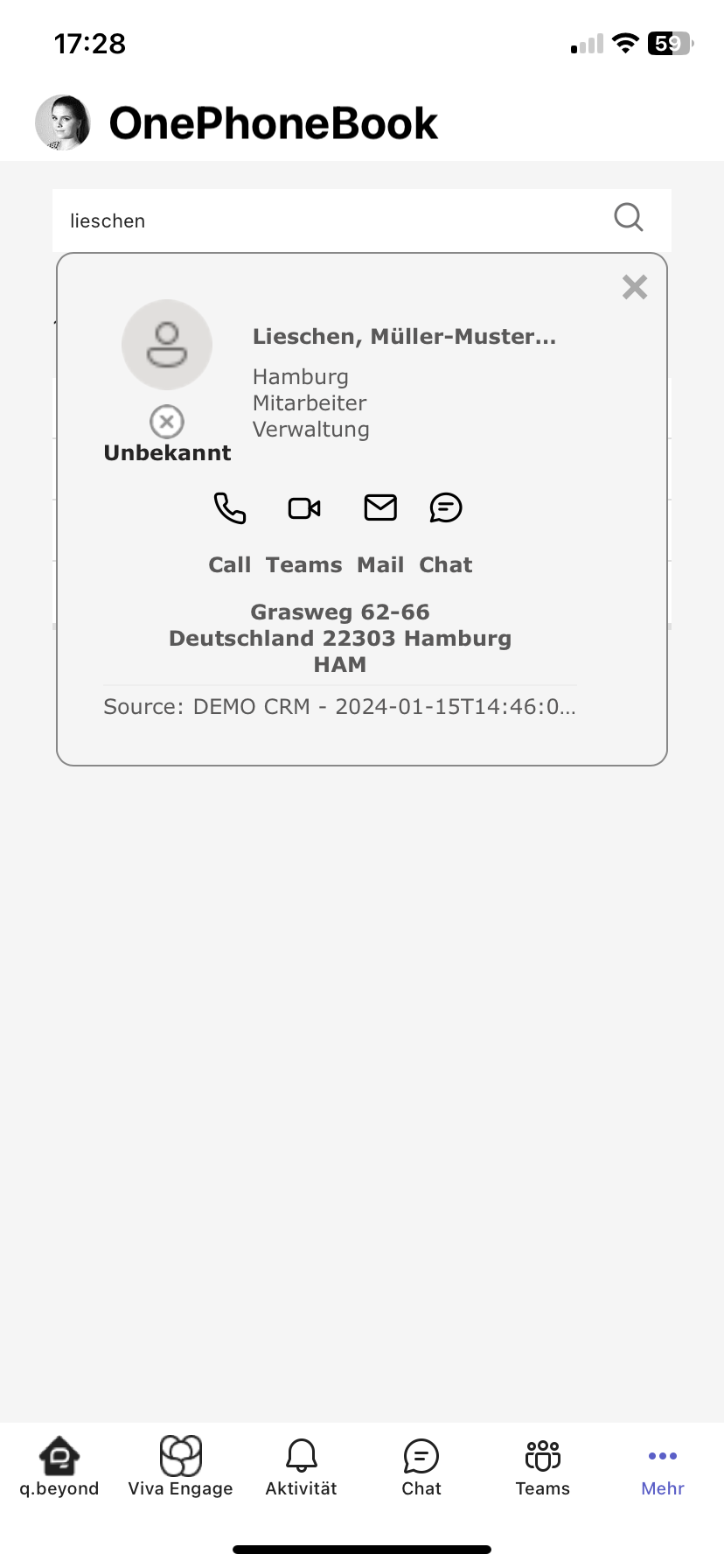
App application for on the go
OnePhoneBook supports all Microsoft Teams platforms, including desktop, mobile, and web, ensuring users have access to the central contact database anytime, anywhere. Our mobile application stands out for its ease of use and intuitive user interface.
5 reasons to use OnePhoneBook

Intuitive use and easy deployment via the Organisation 's app store without training requirements

Tenant-wide merging of standardised and individual contact data sources

Seamless integration into the Teams client in the desktop client, browser, or mobile app

GDPR-compliant data access through the integration of SSO in the OnePhoneBook app in Teams

Central rights and access management, as well as authorisation concepts via Microsoft Entra ID
"Thanks to the implementation of OnePhoneBook by q.beyond AG, we can effortlessly manage all 100,000 contact details seamlessly within Microsoft Teams. The technical provisioning of Azure File Share Services enabled us to import contacts smoothly, while we can control the logic ourselves via Power Automate. We are extremely satisfied with OnePhoneBook. q.beyond's solution has significantly optimized and accelerated our business processes."
Carsten Stebani, Head of System Administration at Anton Gerl GmbH
“With the support of q.beyond AG, we were able to efficiently manage around 80,000 contacts originating from the ERP system Business Central and Azure EntraId. The Power Platform (Power Automate) enabled the seamless integration of these contacts into OnePhoneBook, ensuring smooth data synchronization. A particular challenge was creating logical teams based on postal codes to instantly route customer calls via Reserve Number Lookup in Microsoft Teams. Thanks to q.beyond AG, we have significantly accelerated and improved our business processes.”
Lucas Merkat, IT Manager at Börsig GmbHOnePhoneBook by q.beyond at a glance

Technical requirements for OnePhoneBook
- Implemented Microsoft Teams
- M365 Tenant
- A valid Azure subscription is required for the allocation and creation of the necessary resources
- Domain name through which the OnePhoneBook can communicate
Request your free demo now!
Please use the contact form below and we will get back to you as soon as possible.
Please fill in the fields marked with an * (required field).
Providing more information will help us forward your request to the right contact person.
q.beyond is a Microsoft expert and software developer
In OnePhoneBook, we have combined two of our core competencies to develop a central and flexible phone book for you that facilitates collaboration and communication in your company in day-to-day work.
As a long-standing Microsoft partner, q.beyond is an experienced provider in the field of Microsoft collaboration. We support our clients in implementing communication platforms such as Microsoft Teams and integrating efficient collaboration tools. Furthermore, we are your contact for custom software development. Through the use of agile development methods, quality assurance, and support, we ensure that the developed software meets the highest standards and offers our clients genuine added value.
